Author: Alric Fenmore

  • Why Does Augmented Reality Drain Battery So Fast?

    Why Does Augmented Reality Drain Battery So Fast?

    Few smartphone experiences feel as impressive as watching digital objects blend naturally into the real world. Yet that excitement often fades when the battery indicator drops far faster than expected. Understanding why augmented reality drains battery so fast begins with recognizing how many demanding technologies work together every second an AR app is running.

    Augmented reality pushes nearly every phone component at once

    Augmented Reality

    Most mobile apps rely on one or two major hardware components. Streaming music primarily uses networking and audio hardware. Reading an article mostly activates the display and processor. Augmented reality is different because it demands continuous input from almost every major system inside the device.

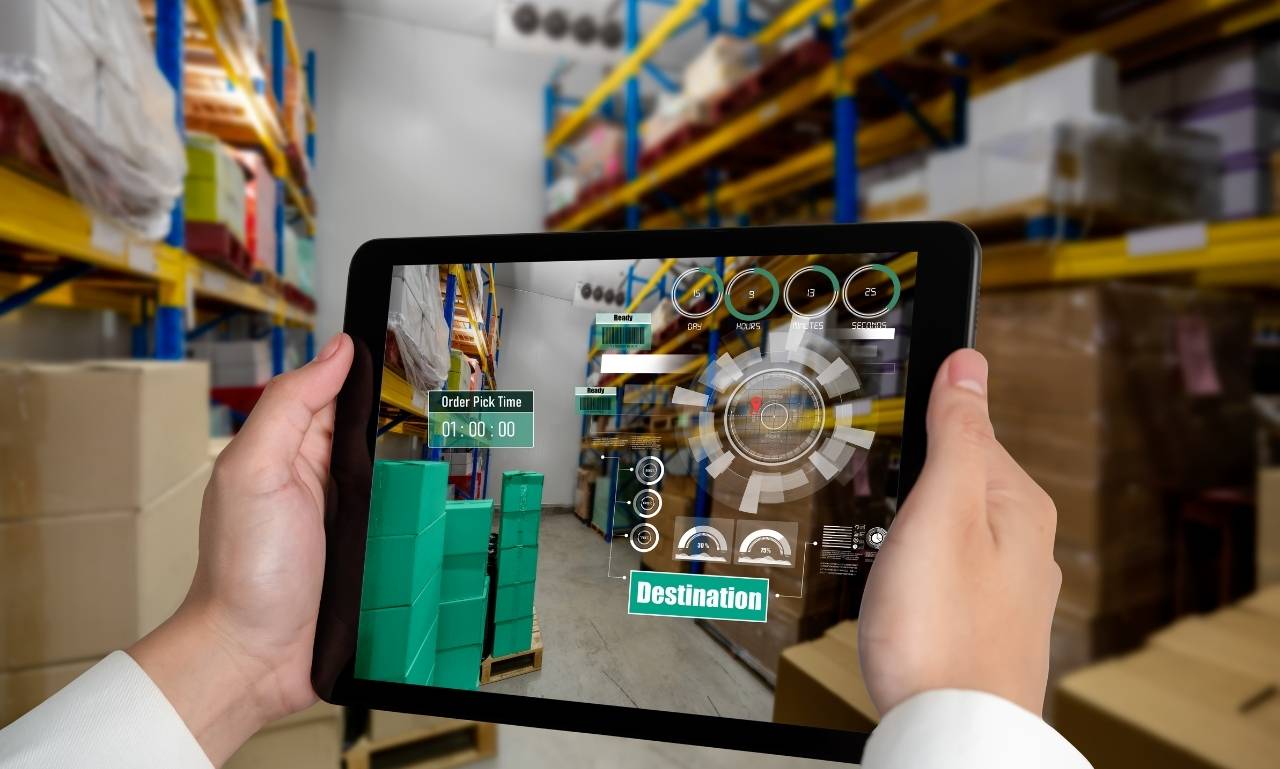
    An AR application constantly captures live video through the camera while analyzing every frame. It tracks movement using gyroscopes, accelerometers, and sometimes magnetometers. At the same time, the processor calculates object placement, while the graphics processor renders realistic digital objects that appear anchored to real surfaces.

    The display remains active throughout the session, often operating at high brightness because AR works best outdoors or in well-lit rooms. Wireless radios may also remain busy if cloud processing or multiplayer features are involved.

    Instead of asking one part of the phone to work harder, AR asks nearly everything to work at full speed simultaneously. That combination explains why battery levels can fall much faster than during ordinary phone use.

    The camera never really gets a break

    One of the biggest reasons battery consumption rises is continuous camera activity. Unlike taking a single photograph, augmented reality keeps the camera recording every moment the application is open.

    Every frame becomes valuable information. The software examines textures, edges, shadows, and movement to understand the surrounding environment. Even slight delays could cause virtual objects to drift or lose alignment with the real world.

    Real-time image processing consumes significant power

    Capturing video alone already requires energy. Processing that video immediately requires considerably more.

    Each second, modern AR software may evaluate dozens of camera frames. Machine vision algorithms identify floors, tables, walls, and other recognizable surfaces before deciding where digital content belongs.

    If someone walks across the room or changes the viewing angle, the application instantly recalculates object positions. That continuous analysis demands sustained computing performance, preventing the processor from entering lower-power states that normally help conserve energy.

    Heavy graphics rendering keeps the GPU working continuously

    Visual realism is one of augmented reality’s greatest strengths. Virtual furniture should cast convincing shadows. Animated characters should appear naturally lit. Navigation arrows should stay fixed to sidewalks even while users move.

    Producing that illusion depends heavily on the graphics processing unit, commonly known as the GPU.

    Modern AR applications generate complex three-dimensional scenes in real time. Every object requires calculations involving lighting, reflections, textures, transparency, perspective, and animation.

    Unlike watching a prerecorded video, these images cannot simply be played back. The graphics engine creates every frame from scratch based on where the user is standing and what the camera currently sees.

    Higher frame rates improve realism but also increase workload. Rendering sixty frames every second demands substantially more energy than rendering thirty. As graphics quality improves, power consumption rises with it.

    Motion tracking depends on multiple sensors working together

    Augmented reality succeeds because digital objects remain stable even while users walk, turn, or tilt their phones. That stability depends on a collection of sensors operating almost continuously.

    The phone combines information from its gyroscope, accelerometer, compass, and sometimes depth sensors or LiDAR. These components constantly measure movement, orientation, and spatial relationships.

    Before introducing the next layer of processing, it’s important to understand that sensor data alone is not enough. The information must be combined, compared, and corrected many times every second.

    Sensor fusion creates an additional processing workload

    Sensor fusion refers to combining multiple hardware inputs into one accurate understanding of device movement.

    Imagine slightly shaking a phone while viewing a virtual object on a desk. The application must immediately determine whether the object should remain fixed, rotate, or move relative to the camera.

    That calculation happens repeatedly throughout the session. Although each individual sensor uses relatively little power, processing and synchronizing their combined data adds another steady workload that contributes to battery drain.

    Artificial intelligence adds another layer of computation

    Artificial intelligence

    Modern augmented reality relies heavily on artificial intelligence and machine learning.

    Instead of simply recognizing flat surfaces, many applications now identify furniture, people, pets, hands, and everyday objects. Shopping apps can estimate room dimensions before placing virtual sofas. Educational apps recognize printed pages and instantly display interactive content.

    These capabilities depend on neural networks that process enormous amounts of visual information.

    On newer smartphones, dedicated AI accelerators improve efficiency compared with relying entirely on the central processor. Even so, these advanced calculations still consume considerable energy because they operate continuously during active AR sessions.

    As developers introduce increasingly intelligent features, battery demands naturally increase alongside them.

    Display brightness quietly becomes one of the biggest power users

    People often blame processors for battery drain while overlooking the screen itself.

    AR experiences become difficult to use if reflections or glare obscure digital objects. Many users automatically raise brightness outdoors or in brightly lit environments.

    Modern OLED and LCD displays consume significant power at higher brightness settings. High-refresh-rate screens also require additional energy because they update images more frequently.

    Since AR applications encourage users to keep their displays active for extended periods, screen power consumption becomes a major contributor to overall battery usage.

    Unlike background apps that allow displays to turn off, augmented reality requires constant visual feedback. Every extra minute with maximum brightness adds noticeably to battery consumption.

    Internet connectivity can increase power consumption

    Not every AR experience works entirely offline.

    Some applications download three-dimensional models from cloud servers. Others synchronize multiplayer sessions so several users can view identical virtual objects. Navigation tools retrieve maps and location information in real time.

    Cloud-based image recognition also requires uploading camera data for remote analysis before results return to the device.

    These network activities activate Wi-Fi or cellular radios, both of which consume additional energy. Poor signal strength increases battery usage further because the phone boosts transmission power while attempting to maintain reliable connections.

    Although networking alone rarely explains rapid battery loss, it adds another constant demand during extended AR sessions.

    Device hardware makes a noticeable difference

    Not every smartphone handles augmented reality equally well.

    Older devices often rely on less efficient processors built using older manufacturing technologies. Those chips generally require more electricity to perform the same calculations as newer models.

    Recent flagship smartphones include specialized hardware for graphics acceleration, AI processing, and computational photography. These dedicated components complete complex tasks more efficiently than general-purpose processors.

    Battery size also matters. Two phones may consume identical amounts of power, yet the model with the larger battery appears to last considerably longer.

    Software optimization plays an equally important role. Operating systems continue improving resource management, helping newer devices balance performance with energy efficiency more effectively than previous generations.

    Can you reduce AR battery drain without ruining the experience?

    AR battery drain

    Fortunately, reducing battery consumption does not always require giving up augmented reality entirely.

    Lowering screen brightness often produces immediate improvements. Closing unnecessary background applications frees processor resources and reduces competition for memory.

    Using Wi-Fi instead of weak mobile networks can also help if cloud connectivity is required. Keeping the phone reasonably cool matters because overheating reduces battery efficiency and may force hardware to work harder.

    Limiting session length remains one of the simplest strategies. Extended AR experiences naturally consume more energy because demanding hardware continues operating without interruption.

    Developers also increasingly include performance settings that reduce graphical detail or frame rates. While visual quality may decrease slightly, battery life often improves noticeably.

    Battery technology is improving, but AR is becoming more demanding

    Smartphone batteries have certainly improved over the past decade, but software expectations have grown even faster.

    Today’s augmented reality applications deliver realistic lighting, object occlusion, spatial mapping, hand tracking, facial recognition, and increasingly sophisticated AI features. Mixed reality experiences continue adding new computational requirements that barely existed only a few years ago.

    Chip manufacturers are responding with more efficient architectures and dedicated processing units. New graphics technologies reduce unnecessary rendering, while improved AI accelerators complete machine learning tasks more efficiently.

    Battery chemistry is advancing as well, although progress remains gradual compared with software innovation. Until major breakthroughs arrive, developers will continue balancing visual quality against battery efficiency.

    Conclusion

    For most users, rapid battery drain is simply the cost of running one of the most technically demanding applications available on a handheld device.

    Thoughtful hardware design and smarter software will narrow that gap over time, but augmented reality will probably remain among the most power-intensive mobile experiences for the foreseeable future. Once you understand why does augmented reality drain battery so fast, the rapid battery loss becomes less surprising. It reflects the extraordinary amount of real-time computing required to merge digital content seamlessly with the physical world.

    Also Read: How Do Virtual Reality Haptics Work?

    FAQs

    Does augmented reality use more battery than virtual reality?

    On smartphones, AR often consumes more battery because it continuously uses the camera, sensors, display, and processor together.

    Can AR damage my phone’s battery?

    No. Regular AR use will not damage the battery, but frequent heavy use increases charge cycles, which naturally contribute to long-term battery aging.

    Why does my phone get hot while using AR?

    The processor, graphics chip, and camera all work continuously, generating heat during demanding workloads.

    Do newer phones handle augmented reality more efficiently?

    Yes. Modern processors, AI accelerators, improved GPUs, and larger batteries generally provide better AR performance with improved power efficiency.

  • How Do Virtual Reality Haptics Work?

    How Do Virtual Reality Haptics Work?

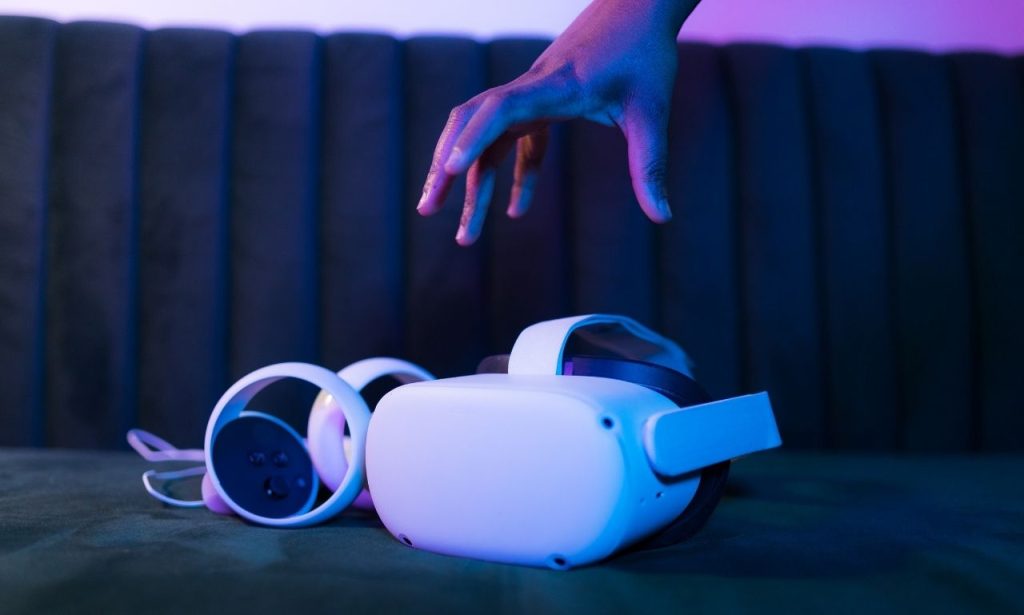
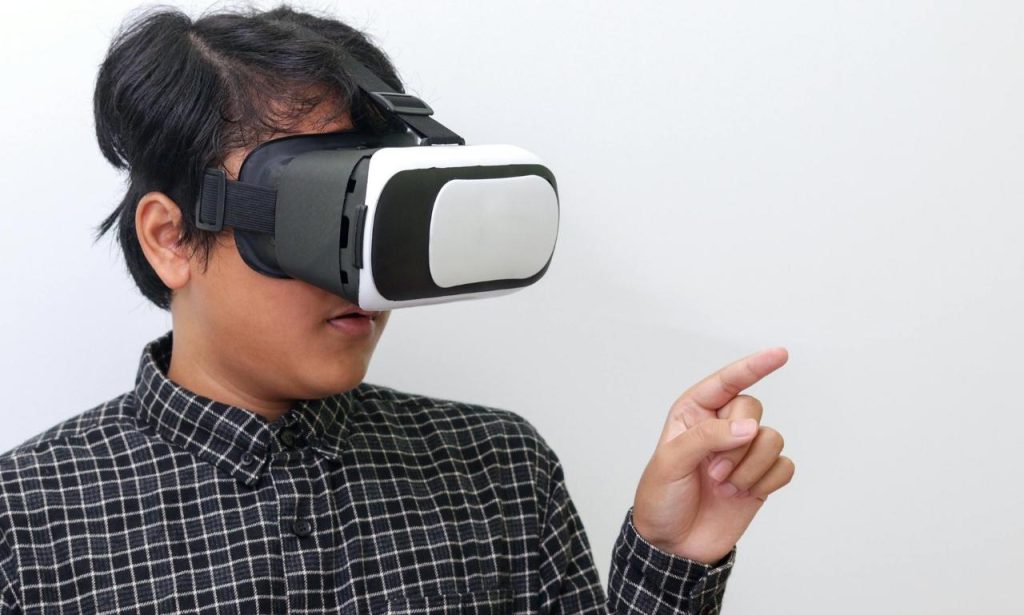
    Anyone who has spent time inside a modern VR headset eventually encounters the same moment. The visuals are convincing. The sound feels directional and real. Then a virtual object appears within reach, and instinct takes over. You try to touch it.

    That simple reaction reveals one of virtual reality’s biggest challenges. Human beings don’t experience the world through sight and sound alone. We rely on touch to confirm what is real. Virtual reality haptics exist to bridge that gap, giving digital experiences a physical dimension that makes them feel far more believable.

    The Missing Sense in Virtual Reality

    How Do Virtual Reality Haptics Work

    For decades, developers focused on improving what users could see and hear. Display resolutions increased, tracking systems became more accurate, and audio technologies grew increasingly sophisticated. Yet something still felt incomplete.

    Imagine standing on the edge of a virtual cliff. The view may look breathtaking, but your brain knows something is missing. There is no sensation beneath your feet. No feeling of wind against your skin. No physical confirmation that the environment around you exists.

    Touch plays a surprisingly important role in how people interpret reality. Even simple actions such as pressing a button, opening a door, or picking up a coffee mug generate countless sensory signals. Without those signals, virtual environments can feel impressive but strangely hollow.

    This is where haptic technology changes the experience. By introducing physical sensations into digital interactions, it gives users something their brains naturally expect.

    Why Seeing an Object Is Not the Same as Feeling It

    The human brain rarely relies on a single sense when processing information. Instead, it combines sight, sound, touch, balance, and movement to create a complete picture of the world.

    Consider a virtual tennis racket. A player may see it clearly inside a headset. Motion tracking may accurately mirror every swing. Yet if there is no sensation when the racket strikes the ball, the interaction feels incomplete.

    That missing feedback affects more than realism. It influences reaction time, spatial awareness, and even memory formation. Researchers have consistently found that physical interaction strengthens engagement and improves learning outcomes.

    This explains why touch has become such a major focus within virtual reality development. The goal is not merely to make VR more entertaining. It is to make digital experiences feel more natural and intuitive.

    How Do Virtual Reality Haptics Work?

    At its core, the answer is surprisingly straightforward. Virtual reality haptics work by converting digital events into physical sensations that the body can perceive.

    Every interaction inside a virtual environment generates data. When a user grabs an object, presses a trigger, pulls a lever, or collides with a surface, the software recognizes that event instantly.

    The system then sends instructions to haptic hardware. These instructions tell the device what type of sensation to create, how strong it should feel, where it should occur, and how long it should last.

    The user experiences the result as vibration, pressure, resistance, impact, or movement.

    The process happens so quickly that most people never notice the individual steps involved. They simply feel a response that appears connected to their actions inside the virtual world.

    What makes the illusion effective is timing. The moment the visual event occurs, the physical sensation must follow almost immediately. Even a slight delay can make the experience feel unnatural.

    The Journey From Virtual Action to Physical Feedback

    Next Decade of Digital Touch

    Behind every haptic sensation lies a sequence of events occurring in fractions of a second.

    First, tracking systems determine the user’s position and movement. Sensors embedded in controllers, gloves, or body-worn devices continuously collect information about what the user is doing.

    Next, the VR application interprets that information. If a virtual hand touches a wall, picks up an object, or receives an impact, the software identifies the interaction.

    The system then calculates the appropriate response. Touching a soft pillow requires different feedback than striking a metal surface. Picking up a heavy crate should feel different from lifting a tennis ball.

    Finally, actuators inside the haptic device produce the sensation. These tiny mechanical components create movement, vibration, force, or pressure that users can physically feel.

    Although the process sounds technical, the objective remains simple. The technology attempts to convince the brain that a virtual event has a physical counterpart.

    Why a Simple Vibration Can Fool the Brain

    One of the most interesting aspects of haptic technology is how little stimulation is often required to create a convincing illusion.

    Most consumer VR systems rely heavily on vibration motors. These devices cannot replicate every detail of touch, yet they remain surprisingly effective.

    The reason lies in how the brain processes sensory information. Human perception is not a perfect recording system. Instead, the brain constantly fills gaps using context and expectation.

    If users see a sword strike a shield and simultaneously feel a brief pulse in their hands, the brain often combines those signals into a single believable experience.

    This principle allows relatively simple hardware to create sensations that feel more complex than they actually are. Developers frequently use carefully timed feedback to suggest weight, impact, recoil, or texture without reproducing those sensations perfectly.

    In many cases, the illusion matters more than complete physical accuracy.

    Beyond Controller Rumble: Modern Haptic Systems

    The earliest VR haptics relied almost entirely on controller vibrations. Today’s systems have moved far beyond that approach.

    Haptic gloves represent one of the most significant advances. These devices track finger movement and apply localized pressure to specific areas of the hand. As a result, users can feel resistance when interacting with virtual objects.

    Haptic vests extend feedback across the torso. A user might feel an incoming projectile from a particular direction or experience environmental effects such as shockwaves and impacts.

    More advanced systems use force feedback technology. Rather than simply vibrating, these devices actively resist movement. This allows users to experience sensations that resemble weight, tension, or physical constraints.

    Researchers are also exploring ultrasonic haptics. Instead of relying on wearable devices, these systems use focused sound waves to create touch sensations in mid-air. The technology remains relatively new, but it offers a glimpse of what future virtual experiences may look like.

    Can Virtual Reality Really Recreate Touch?

    This question often receives exaggerated answers. Some marketing claims suggest virtual reality can fully reproduce physical sensation. The reality is more nuanced.

    Modern haptic systems can simulate certain aspects of touch remarkably well. Impacts, vibrations, directional feedback, and resistance have improved dramatically over the past decade.

    Replicating every detail of human touch, however, remains an enormous challenge.

    Touch involves far more than pressure alone. The skin detects texture, temperature, moisture, elasticity, and countless subtle variations that change from moment to moment. Reproducing all of those signals simultaneously requires a level of precision that current consumer technology cannot yet achieve.

    Even so, perfect realism may not be necessary. Many successful VR experiences rely on convincing approximations rather than exact duplication. If the brain accepts the illusion, the experience can still feel authentic.

    Where Haptics Matter Most Beyond Gaming

    Gaming receives most of the attention, but some of the most important applications exist elsewhere.

    Medical training is a notable example. Surgeons can practice procedures inside virtual environments while receiving tactile feedback that mimics real instruments and tissue resistance. This allows repeated practice without exposing patients to risk.

    Manufacturing companies use haptics to train workers on complex equipment before they ever enter a production facility. Mistakes become learning opportunities rather than expensive accidents.

    Engineers and designers increasingly rely on virtual prototypes enhanced by touch feedback. Instead of evaluating concepts on a screen, they can interact with digital models in a more natural way.

    Education also benefits. Students often retain information more effectively when learning involves active participation rather than passive observation.

    What’s Holding the Technology Back?

    The progress of VR haptics has been impressive, but several obstacles remain.

    Cost continues to limit adoption. Advanced gloves, force-feedback systems, and full-body suits require sophisticated hardware that can be expensive to manufacture.

    Comfort presents another challenge. The more realistic a haptic system becomes, the more components it often requires. Designers must balance immersion with usability.

    Power consumption creates additional complications. Stronger feedback generally demands more energy, which affects battery life and portability.

    Then there is the issue of realism itself. Human touch is extraordinarily complex. Simulating it convincingly across every possible interaction remains one of the most difficult problems in immersive technology.

    The Next Decade of Digital Touch

    Next Decade of Digital Touch

    The future of virtual reality may depend as much on touch as it does on graphics.

    Researchers are developing lighter wearables, smarter feedback systems, and entirely new methods of delivering sensation. Artificial intelligence is expected to play a growing role by adapting haptic responses in real time.

    Advances in materials science may produce flexible devices that feel almost invisible when worn. Some experimental systems already resemble fabric more than traditional electronics.

    Longer term, scientists are exploring direct communication with the nervous system. Although still in its early stages, this research hints at possibilities that once belonged entirely to science fiction.

    Virtual reality has already transformed what people can see and hear inside digital environments. The next major breakthrough may come from what they can feel.

    Conclusion

    Understanding how virtual reality haptics work means understanding a fundamental challenge of immersive technology. Humans rely on touch to interpret the world around them, and virtual environments become far more convincing when they engage that sense. Through a combination of sensors, software, and specialized hardware, haptic systems translate digital events into physical sensations that users can experience in real time. The technology still has limitations, but its progress has been remarkable. As virtual reality continues to evolve, haptics will play an increasingly important role in making digital experiences feel genuinely tangible.

    Also Read: What Is Persistent Augmented Reality?

    FAQs

    How do haptic gloves work?

    Haptic gloves track finger movements and apply pressure or resistance to specific areas of the hand, creating the sensation of touching virtual objects.

    Can VR make you feel physical touch?

    Modern systems can simulate pressure, vibration, impact, and resistance, but they cannot yet recreate every aspect of real-world touch.

    What is force feedback in virtual reality?

    Force feedback uses mechanical resistance to simulate weight, tension, and physical constraints during virtual interactions.

    What industries use VR haptics?

    Healthcare, manufacturing, engineering, military training, education, and gaming all use haptic technology to improve realism and interaction.

  • What Is Persistent Augmented Reality?

    What Is Persistent Augmented Reality?

    Augmented reality has evolved far beyond simple digital overlays on smartphone screens. One of the most significant developments in recent years is persistent augmented reality, a technology that allows digital content to remain anchored in the real world over time. Instead of disappearing when an app closes, virtual objects can stay connected to specific locations and become part of a shared digital environment.

    As augmented reality continues to mature, persistent experiences are becoming a key step toward more immersive and practical digital interactions. Understanding how this technology works helps explain why many experts see it as a foundation for the future of spatial computing.

    What Is Persistent Augmented Reality?

    Persistent Augmented Reality

    Persistent augmented reality refers to AR experiences that remain fixed in a physical location even after a user leaves and returns later. Digital objects, information, or experiences maintain their position in the real world and can often be accessed by multiple users across different devices.

    Traditional augmented reality usually creates temporary experiences. A virtual chair placed in a room through a mobile app disappears once the session ends. Persistent augmented reality changes that model by allowing the chair to remain in the same spot indefinitely.

    Imagine leaving a virtual note on a wall in your office. Days later, you return and find it exactly where you placed it. A colleague using a compatible device can also see the same note. That ability to create lasting digital content within physical spaces defines persistent AR.

    How Persistent Augmented Reality Works

    Creating a persistent digital layer over the physical world requires several technologies working together.

    The process begins with environmental mapping. Devices scan their surroundings and create detailed digital representations of physical spaces. Cameras, sensors, and depth scanners collect information about surfaces, objects, and room layouts.

    Once the environment is mapped, digital content is attached to specific points known as spatial anchors. These anchors act like coordinates that tell the system where virtual objects belong.

    Cloud infrastructure plays a critical role. Spatial data is stored and synchronized across devices, allowing users to access the same augmented reality experience from different locations and at different times.

    As devices revisit mapped environments, they recognize previously scanned areas and accurately place digital content in its original position. This creates the illusion that virtual objects permanently exist within the physical world.

    The Role of Spatial Anchors

    Spatial anchors are among the most important components of persistent AR.

    An anchor functions as a reference point within a real-world environment. When a virtual object is placed in a room, the system remembers its relationship to walls, furniture, and other physical features.

    Modern cloud-based anchors can synchronize data across multiple devices. This means users can share experiences and interact with the same digital content regardless of where or when they access it.

    Persistent AR vs Traditional Augmented Reality

    Many people confuse persistent AR with standard augmented reality, but the differences are significant.

    Traditional AR focuses on temporary interactions. The digital experience usually exists only during an active session. Once the application closes, the virtual content disappears.

    Persistent AR introduces continuity. Digital objects remain available between sessions and often across devices.

    This distinction transforms augmented reality from a short-term visual enhancement into a long-term digital layer connected to physical spaces.

    The shift also enables collaborative experiences. Multiple users can interact with shared virtual content, making persistent AR far more useful for business, education, gaming, and communication.

    The Role of AR Cloud and Spatial Anchors

    Persistent augmented reality would not be practical without the AR Cloud.

    The AR Cloud is often described as a digital copy of the physical world. It stores spatial information about locations and environments, allowing devices to understand where they are and what digital content belongs there.

    Think of it as a global positioning system for augmented reality. Instead of tracking roads and destinations, it tracks physical spaces and virtual objects.

    When users access a persistent AR experience, the AR Cloud helps devices retrieve relevant spatial data and position digital content accurately.

    This technology allows experiences to persist not only across time but also across different users and hardware platforms.

    Why the AR Cloud Matters

    Without cloud-based spatial mapping, every AR session would need to start from scratch.

    The AR Cloud creates a shared digital memory of physical spaces. This shared memory allows persistent experiences to scale beyond individual devices and become accessible to larger communities.

    Many industry experts consider the AR Cloud a critical building block for the future spatial web.

    Technologies That Power Persistent AR

    Persistent Augmented Reality

    Persistent augmented reality depends on a combination of advanced technologies.

    Computer vision enables devices to identify and understand physical environments. Cameras continuously analyze surroundings and detect landmarks that help maintain accurate positioning.

    Simultaneous Localization and Mapping, commonly known as SLAM, allows devices to map environments while determining their own location within those spaces.

    Machine learning improves environmental recognition and object tracking. As systems process more data, they become better at understanding complex environments.

    LiDAR sensors add another layer of precision by measuring distances and generating detailed depth maps.

    Cloud computing provides the storage and processing power required to manage large amounts of spatial information.

    High-speed networks such as 5G support faster synchronization, helping maintain seamless experiences across connected devices.

    Together, these technologies create the infrastructure needed for persistent digital experiences.

    Real-World Applications of Persistent AR

    Persistent augmented reality is already finding practical uses across many industries.

    In retail, businesses can create permanent virtual showrooms that allow customers to visualize products within real environments. A customer could place a virtual sofa in their living room and revisit it later without repeating the setup process.

    Education is another promising area. Schools and training centers can build interactive learning environments where digital content remains available for future students.

    Manufacturing companies use persistent AR to display maintenance instructions directly on machinery. Workers can access the same information repeatedly, reducing training time and improving efficiency.

    Healthcare organizations are exploring persistent AR for medical training and procedural guidance. Virtual annotations can remain attached to equipment and training environments.

    Tourism and cultural institutions are also adopting the technology. Historical landmarks can feature permanent digital reconstructions that visitors access through AR devices.

    Gaming remains one of the most visible applications. Location-based experiences become more immersive when virtual content persists and evolves over time.

    Benefits of Persistent Augmented Reality

    The value of persistent AR extends far beyond visual novelty.

    One major benefit is continuity. Users no longer need to recreate digital experiences each time they open an application.

    Collaboration improves significantly because multiple people can interact with the same virtual content. This creates opportunities for remote teamwork, shared learning, and collaborative design.

    Persistent AR also increases context awareness. Digital information becomes tied to real locations, making it easier to deliver relevant content at the right moment.

    Businesses can improve operational efficiency by providing workers with location-specific instructions and information.

    Customer engagement often increases because experiences feel more immersive and meaningful when digital content maintains a lasting presence.

    As devices become more capable, these benefits are expected to expand across both consumer and enterprise markets.

    Challenges and Limitations of Persistent AR

    Despite its potential, persistent augmented reality faces several challenges.

    Privacy remains one of the biggest concerns. Mapping physical environments requires extensive data collection, which raises questions about ownership, consent, and surveillance.

    Data storage is another challenge. Maintaining accurate spatial maps for millions of locations requires substantial infrastructure.

    Technical limitations also exist. Environmental changes can affect tracking accuracy. Furniture moves, buildings change, and lighting conditions vary over time.

    Device compatibility presents additional obstacles. Not all smartphones and AR headsets support advanced spatial mapping capabilities.

    Security risks must also be addressed. Persistent digital content could become a target for unauthorized access or manipulation.

    Addressing these challenges will be essential for widespread adoption.

    Persistent AR and the Future of Spatial Computing

    Persistent AR and the Future of Spatial Computing

    Persistent augmented reality is increasingly connected to the broader concept of spatial computing.

    Spatial computing refers to technologies that allow digital systems to understand and interact with physical space. Persistent AR serves as one of the most practical examples of this concept in action.

    As AR glasses become more advanced, users may eventually interact with digital information as naturally as they interact with physical objects.

    Virtual workspaces, navigation systems, educational tools, and entertainment experiences could all become integrated into everyday environments.

    Rather than opening separate applications, users may access digital content directly within the spaces around them.

    This shift could fundamentally change how people work, communicate, learn, and consume information.

    Several trends are shaping the future of persistent AR.

    Artificial intelligence is improving environmental understanding and object recognition. AI-driven systems can create more responsive and adaptive experiences.

    Wearable AR devices continue to advance. Lighter and more powerful smart glasses could make persistent AR accessible throughout the day.

    Digital twins are becoming increasingly important. These virtual representations of physical environments can support planning, monitoring, and collaboration.

    Cross-platform interoperability is also gaining attention. Industry standards may allow persistent experiences to function across different hardware ecosystems.

    As these technologies mature, persistent AR will likely move from experimental projects to mainstream applications.

    Conclusion

    Understanding what persistent augmented reality is requires looking beyond simple digital overlays. Persistent AR introduces continuity, shared experiences, and long-term digital interactions within physical spaces. By combining spatial mapping, cloud infrastructure, computer vision, and advanced sensors, it creates digital content that remains connected to the real world.

    While technical and privacy challenges remain, the technology is already transforming industries ranging from retail and education to healthcare and manufacturing. As spatial computing continues to evolve, persistent augmented reality is positioned to become one of the defining technologies shaping how people interact with digital information in everyday life.

    Also Read: How Do Virtual Reality Haptics Work?

    FAQs

    What is persistent augmented reality in simple terms?

    Persistent augmented reality allows digital objects and information to remain attached to real-world locations even after users leave and return later.

    How is persistent AR different from regular AR?

    Traditional AR experiences are usually temporary, while persistent AR keeps digital content anchored in place across multiple sessions and devices.

    What is the AR Cloud?

    The AR Cloud is a digital spatial layer that stores information about physical environments and helps devices accurately place persistent virtual content.

    What industries use persistent augmented reality?

    Persistent AR is used in retail, education, healthcare, manufacturing, tourism, real estate, and gaming, among other sectors.

  • How Does AR Understand Room Dimensions?

    How Does AR Understand Room Dimensions?

    Augmented reality has moved far beyond games and novelty filters. Today, it helps homeowners measure rooms, lets furniture retailers visualize products in living spaces, and assists architects in creating digital models of physical environments. Yet many people still wonder: how does AR understand room dimensions in the first place?

    The answer lies in a combination of computer vision, sensors, spatial mapping, and increasingly sophisticated artificial intelligence. Modern AR systems can analyze a room, estimate distances, identify surfaces, and create detailed digital representations in real time. What appears simple on the screen is actually the result of several technologies working together behind the scenes.

    What It Means for AR to Understand a Room

    How Does AR Understand Room Dimensions

    When people hear that AR understands a room, it is easy to imagine the technology seeing the space exactly as a person would. In reality, AR interprets a room through data rather than human perception.

    Instead of recognizing a bedroom as a bedroom or a living room as a living room, AR identifies walls, floors, ceilings, corners, and objects as geometric elements. It continuously measures relationships between these elements to build a digital map of the environment.

    This spatial understanding allows virtual objects to appear anchored to physical surfaces. Without it, a digital sofa could float through a wall or sink into the floor.

    The ability to understand dimensions is what transforms AR from a visual overlay into a tool that interacts meaningfully with the real world.

    How Cameras Help AR Measure Physical Space

    The camera serves as the primary source of environmental information for most AR systems. Every frame captured contains valuable visual data about the surrounding space.

    As the device moves, AR software identifies distinctive points in the environment. These points may include edges, corners, texture patterns, or other visual markers that remain recognizable from different viewing angles.

    By comparing these features across multiple images, the system estimates depth and distance. Similar to how human eyes use perspective to judge space, AR software uses changing viewpoints to calculate the position of objects and surfaces.

    The more visual information available, the more accurately the system can understand the room’s structure.

    The Role of Motion Sensors in Spatial Awareness

    A camera alone cannot fully explain movement through a room. That is where motion sensors become essential.

    Modern smartphones contain accelerometers and gyroscopes that constantly track movement and orientation. Together, these components form part of an Inertial Measurement Unit, often called an IMU.

    As a user walks around a room, the sensors detect changes in speed, direction, and rotation. The AR system combines this information with camera data to determine where the device is located in physical space.

    This constant stream of information helps maintain accurate positioning even when visual conditions become less than ideal.

    Without sensor data, room measurements would quickly become unstable and unreliable.

    How Does AR Understand Room Dimensions Through SLAM?

    One of the most important technologies in modern augmented reality is Simultaneous Localization and Mapping, commonly known as SLAM.

    SLAM allows an AR device to perform two tasks at the same time. It determines its own position while simultaneously creating a map of the environment.

    As a user scans a room, the system continuously updates both pieces of information. It identifies landmarks, tracks movement, and refines its understanding of the space with every new frame.

    Imagine entering an empty room with no floor plan. Within seconds, AR software begins building a digital model while also figuring out exactly where the device is standing.

    This process happens continuously and often hundreds of times per second.

    SLAM forms the foundation of many popular AR platforms, including Apple’s ARKit and Google’s ARCore.

    How LiDAR Improves Room Measurement Accuracy

    LiDAR has become one of the biggest advances in room-scanning technology.

    Short for Light Detection and Ranging, LiDAR measures distances using pulses of laser light. The sensor sends thousands of light pulses into the environment and calculates how long they take to return.

    Because light travels at a known speed, the system can determine distances with remarkable precision.

    Unlike traditional camera-based measurement methods, LiDAR does not rely solely on visual clues. It directly measures depth, making it particularly useful in rooms with limited textures or poor lighting.

    This capability significantly improves the accuracy of spatial mapping and room dimension calculations.

    Devices equipped with LiDAR often produce faster scans, more reliable measurements, and cleaner 3D models than camera-only systems.

    How AR Detects Walls, Floors, and Furniture

    Understanding dimensions requires more than measuring distances. AR must also identify what it is measuring.

    Surface detection algorithms help the system recognize large flat areas such as floors, walls, tables, and ceilings. Once detected, these surfaces become reference points for placing virtual objects.

    More advanced systems use machine learning models to identify common objects within a room. Furniture, doors, windows, and cabinets can often be recognized automatically.

    This semantic understanding adds another layer of intelligence. Instead of seeing only shapes and distances, the system begins to understand the functional structure of a room.

    As a result, AR applications can generate more realistic visualizations and more useful measurements.

    How AR Creates 3D Models of Indoor Spaces

    AR Creates 3D Models of Indoor Spaces

    Room scanning applications often generate detailed 3D models after completing a scan. This process involves several stages.

    The system first collects thousands of spatial data points. Together, these points form what is known as a point cloud.

    Each point represents a location in three-dimensional space. As more points are gathered, the shape of the room begins to emerge.

    The software then connects these points into surfaces and geometric structures. This process creates a digital mesh that resembles the physical room.

    Finally, textures and object classifications may be added to create a more complete digital representation.

    The finished model can be used for interior design, property marketing, renovation planning, and architectural documentation.

    How Accurate Are AR Room Measurements?

    Accuracy remains one of the most common questions surrounding AR measurement technology.

    Under ideal conditions, modern AR systems can achieve surprisingly precise results. Small measurement differences may occur, but many consumer applications now provide accuracy levels suitable for everyday use.

    Several factors influence measurement quality.

    Lighting conditions play a major role. Dark environments can reduce the effectiveness of camera-based tracking.

    Highly reflective surfaces such as mirrors and glass may also confuse depth estimation systems.

    Large empty walls sometimes create challenges because they offer few visual reference points.

    LiDAR-equipped devices generally perform better in these situations because they rely less on visible textures.

    For furniture placement, home improvement planning, and general room measurement, AR accuracy is often more than sufficient. Professional construction projects, however, may still require specialized surveying equipment.

    Real-World Uses of AR Room Dimension Technology

    https://milvus.io/ai-quick-reference/what-are-the-core-components-of-an-ar-system

    The ability to understand room dimensions has created practical applications across numerous industries.

    Interior designers use AR to test furniture layouts before making purchasing decisions. Homeowners can experiment with renovations without moving a single piece of furniture.

    Real estate professionals create virtual property tours and digital floor plans. Prospective buyers can explore spaces remotely while gaining a realistic sense of scale.

    Architects and contractors use room-scanning tools to document existing conditions before beginning projects.

    Retailers benefit as well. Customers can visualize products inside their homes before placing orders, reducing uncertainty and improving purchase confidence.

    What once required expensive equipment can now be accomplished using a smartphone.

    The Future of AR Room Understanding

    Room measurement technology continues to evolve rapidly.

    Artificial intelligence is making spatial recognition smarter and more reliable. Future systems will not only measure rooms but also understand how those spaces are used.

    AR glasses and spatial computing devices are expected to push this capability even further. Instead of scanning a room with a phone, users may interact with continuously updated digital maps of their surroundings.

    Digital twins, persistent spatial models, and real-time environmental awareness are becoming increasingly realistic goals.

    As hardware improves and software becomes more sophisticated, AR’s understanding of physical space will continue to move closer to human-level perception.

    Conclusion

    Understanding how AR understands room dimensions requires looking beyond the screen. What appears to be a simple measurement tool actually combines computer vision, motion tracking, SLAM, LiDAR, machine learning, and spatial mapping technologies.

    Together, these systems allow AR to build detailed representations of physical environments, calculate distances, identify surfaces, and generate accurate room measurements. As spatial computing advances, the ability of AR to understand and interact with indoor spaces will become even more powerful, opening the door to new applications across design, construction, retail, and everyday life.

    Also Read: Can AR Work Without GPS?

    FAQs

    Can AR accurately measure a room?

    Yes. Modern AR applications can provide highly accurate measurements for most residential and commercial uses, especially on devices equipped with LiDAR sensors.

    Does AR need LiDAR to understand room dimensions?

    No. AR can estimate room dimensions using cameras and motion sensors. LiDAR improves accuracy but is not required.

    What is SLAM in augmented reality?

    SLAM stands for Simultaneous Localization and Mapping. It helps AR devices track their position while creating a map of the surrounding environment.

    Can a smartphone create a floor plan using AR?

    Yes. Many modern smartphones can scan rooms and generate floor plans using AR software, computer vision, and depth-sensing technologies.

  • Can AR Work Without GPS?

    Can AR Work Without GPS?

    Many people assume augmented reality depends entirely on GPS to function. That belief makes sense when popular apps like Pokémon GO use location data to place digital content in the real world. However, the answer to the question “Can AR work without GPS?” is yes. In fact, many of the most advanced AR experiences operate without GPS at all.

    Does Augmented Reality Actually Need GPS?

    AR Work Without GPS

    GPS is only one way for an AR system to understand its position. While it helps determine a device’s location outdoors, it is not the technology responsible for placing virtual objects on a table, recognizing walls, or tracking movement around a room.

    Most modern AR applications rely on a combination of cameras, sensors, and software algorithms. These technologies allow devices to understand their surroundings in real time. As a result, an AR application can often function perfectly without knowing its exact geographic location.

    This distinction is important because GPS answers the question, “Where am I on Earth?” AR tracking answers a different question: “Where am I relative to the objects around me?”

    For many AR experiences, the second question matters far more than the first.

    How AR Knows Where to Place Digital Objects

    To understand how AR works without GPS, it helps to look at what happens when an application launches.

    The camera continuously scans the environment. Software analyzes visible features such as edges, corners, textures, and surfaces. At the same time, motion sensors track how the device moves through space.

    The system combines this information to create a digital understanding of the environment. Once that happens, virtual objects can remain fixed in place even as the user walks around them.

    This process occurs within fractions of a second. Users rarely notice the enormous amount of tracking and analysis happening behind the scenes.

    The Role of SLAM Technology

    One of the most important technologies behind GPS-free AR is Simultaneous Localization and Mapping, commonly known as SLAM.

    SLAM allows a device to build a map of its surroundings while simultaneously determining its position within that map. Instead of relying on satellite signals, it uses visual information captured by the camera.

    Imagine entering an empty room and placing a virtual chair in one corner. SLAM enables the AR system to remember where that chair is located, even if you walk away and return moments later.

    Without SLAM, modern markerless AR would be far less reliable.

    Can AR Work Without GPS Indoors?

    AR Work Without GPS Indoors

    Indoor environments provide one of the strongest examples of why GPS is not always necessary.

    GPS signals struggle to penetrate buildings effectively. Concrete walls, metal structures, and multiple floors often reduce signal accuracy. In some cases, GPS may become almost unusable indoors.

    Yet AR applications work remarkably well inside homes, offices, shopping centers, factories, and hospitals.

    The reason is simple. Indoor AR relies primarily on visual tracking rather than satellite positioning.

    An interior design app can place a virtual sofa in your living room. A maintenance technician can view digital instructions over industrial equipment. Medical professionals can visualize patient data in operating rooms. None of these experiences require GPS.

    The environment itself provides the reference points AR systems need.

    Marker-Based AR and GPS-Free Experiences

    Not all AR applications use sophisticated mapping systems.

    Marker-based AR depends on predefined visual triggers such as QR codes, logos, product packaging, or printed images. When the camera recognizes a specific marker, digital content appears on the screen.

    This approach has been used for years in education, marketing, manufacturing, and training programs.

    For example, a textbook might contain an image that launches a three-dimensional model of the solar system. A product package might trigger an interactive demonstration when scanned with a smartphone.

    Since the marker provides a fixed reference point, GPS becomes completely unnecessary.

    Why Marker-Based AR Remains Relevant

    Although markerless AR receives most of the attention today, marker-based systems continue to offer several advantages.

    They are generally easier to develop, require less processing power, and perform reliably in controlled environments. Businesses often prefer them for training programs and product demonstrations because they deliver consistent results.

    In situations where accuracy matters more than mobility, marker-based AR remains a practical solution.

    Markerless AR and Environmental Tracking

    Markerless AR has transformed the way people interact with digital content.

    Instead of relying on printed markers, these systems analyze the surrounding environment directly. Surfaces, walls, floors, furniture, and objects become reference points.

    This creates a more natural experience because users can place virtual content almost anywhere.

    Applications such as IKEA Place, Snapchat lenses, and many AR gaming experiences use markerless tracking extensively. They detect surfaces and maintain object stability without requiring GPS.

    The technology depends heavily on computer vision, motion tracking, and sensor fusion rather than geographic coordinates.

    As a result, markerless AR has become the foundation of most consumer AR experiences.

    Technologies That Replace GPS in AR

    Several technologies allow augmented reality to operate effectively without satellite positioning.

    Computer Vision

    Computer vision enables devices to interpret visual information captured by cameras. The software identifies patterns, objects, edges, and environmental features.

    This capability helps AR systems understand the physical world and maintain accurate positioning.

    Inertial Measurement Units

    Modern smartphones contain accelerometers and gyroscopes. Together, these components form an inertial measurement unit, often called an IMU.

    These sensors track movement, rotation, and orientation. They provide continuous updates even when camera visibility becomes limited.

    Depth Sensors and LiDAR

    Some devices include depth-sensing hardware or LiDAR scanners.

    These technologies measure the distance between the device and surrounding objects. The resulting depth information improves accuracy and environmental understanding.

    LiDAR-equipped devices often deliver smoother AR experiences because they can build spatial maps more quickly.

    When GPS Is Essential for AR

    Although AR can work without GPS, there are situations where location data becomes necessary.

    Location-based AR applications depend on geographic coordinates to place digital content in specific real-world locations.

    Navigation systems provide a good example. If an application displays directional arrows on city streets, it must know the user’s location. GPS supplies that information.

    Popular examples include:

    • Outdoor navigation apps
    • Tourism experiences
    • City exploration platforms
    • Location-based advertising
    • Geocaching applications
    • AR gaming experiences tied to real-world locations

    In these cases, GPS acts as a positioning tool rather than the technology responsible for rendering AR content.

    The AR experience itself still relies on cameras and sensors for visual accuracy.

    GPS vs SLAM: Which Is Better for AR?

    Comparing GPS and SLAM reveals why modern AR systems often combine both technologies.

    GPS excels at determining broad geographic location. It can tell a device where it is within a city, neighborhood, or outdoor environment.

    However, GPS accuracy usually ranges from several feet to several meters. That level of precision is not sufficient for placing virtual objects on a specific chair or table.

    SLAM provides far greater local accuracy. It understands nearby surroundings in remarkable detail. The tradeoff is that SLAM does not inherently know global geographic coordinates.

    For this reason, many advanced AR platforms use hybrid tracking systems.

    GPS provides large-scale positioning. SLAM handles precise local tracking. Together, they create a more reliable experience.

    Real-World Industries Using AR Without GPS

    Many industries already rely on GPS-free AR solutions every day.

    Manufacturing facilities use AR to guide workers through assembly processes. Digital instructions appear directly over equipment and components.

    Healthcare organizations use AR for surgical planning, medical education, and patient visualization. These applications operate entirely indoors.

    Retail brands allow customers to preview furniture, appliances, and home décor items within their living spaces before making purchases.

    Architects and construction professionals use AR to compare digital building models with physical job sites.

    Educational institutions create interactive learning experiences that bring complex subjects to life.

    In each case, environmental tracking delivers greater value than geographic positioning.

    The Future of GPS-Free Augmented Reality

    Augmented Reality

    The future of AR is moving toward greater spatial awareness rather than greater dependence on GPS.

    Advances in artificial intelligence, visual positioning systems, and spatial computing are making devices more capable of understanding their surroundings.

    Future AR glasses may continuously map environments with extraordinary accuracy. Instead of depending on satellite signals, they will rely on cameras, sensors, and cloud-based spatial data.

    Visual Positioning Systems, often called VPS, represent one of the most promising developments. These systems identify locations using visual landmarks rather than GPS coordinates.

    As hardware improves and software becomes more sophisticated, GPS will remain useful for certain applications. However, many AR experiences will continue to function independently of satellite navigation.

    Conclusion

    So, can AR work without GPS? Absolutely. Many of today’s most effective augmented reality experiences operate without any GPS input at all.

    Technologies such as SLAM, computer vision, depth sensing, and motion tracking allow AR systems to understand and interact with their surroundings. While GPS remains valuable for location-based experiences and outdoor navigation, it is far from a requirement for most AR applications. As augmented reality continues to evolve, environmental understanding will likely play a larger role than geographic positioning, making GPS-free AR more capable than ever.

    Also Read:

    FAQs

    Can AR function completely without GPS?

    Yes. Many AR applications use cameras, sensors, and SLAM technology instead of GPS to track their surroundings.

    Why does indoor AR usually not need GPS?

    GPS signals are often weak indoors. AR applications rely on visual tracking and environmental mapping instead.

    What technology replaces GPS in AR?

    SLAM, computer vision, inertial sensors, LiDAR, and depth-sensing technologies commonly replace GPS in AR experiences.

    Does Pokémon GO use GPS?

    Yes. Pokémon GO uses GPS to determine player location, but it also relies on AR tracking technologies to display virtual objects accurately.