
A phone or computer can have plenty of free memory and still close an application without warning. The screen freezes, the program disappears, and everything else on the device continues working normally. When people ask why apps crash even with enough memory, the answer often lies somewhere other than the amount of RAM available.
Memory Is Only One Resource an App Needs

Applications depend on several resources simultaneously.
RAM receives considerable attention because running out of memory can certainly cause instability. Modern software, however, also relies on processor time, storage, graphics hardware, operating-system services, network connections, drivers, databases, and external software libraries.
Failure in any of these areas can terminate an application.
An app might have several gigabytes of memory available but encounter corrupted data while opening a file. Another may request an operation that a graphics driver cannot complete correctly.
In both cases, additional RAM would make little difference.
This is why looking at available memory is useful when diagnosing crashes but rarely provides a complete explanation.
Why Apps Crash Even With Enough Memory
At its simplest, a crash occurs when software reaches a state from which it cannot safely continue.
Sometimes the application detects the problem itself and closes. In other situations, the operating system terminates the process because it has violated a rule or attempted an invalid operation.
The triggering event can be surprisingly small.
A developer might fail to account for an unexpected value. A damaged configuration file could contain information the program cannot interpret. A background service might disappear while the application is communicating with it.
Modern applications contain millions of possible interactions between code, hardware, user data, and external systems.
A crash therefore does not necessarily indicate that the entire application is badly designed. One unhandled condition in a rarely used feature can be enough.
Software Bugs Can Reach Unexpected States

Programming errors remain one of the most straightforward causes of application crashes.
Developers write software with assumptions about what should happen when users press buttons, open files, change settings, or communicate with remote services.
Real-world behavior sometimes violates those assumptions.
Imagine an application expecting a server to return a list of items. A temporary problem causes the server to return an empty response instead. If the program attempts to access the first item without checking whether one exists, it can encounter an error.
Well-designed applications anticipate many unexpected conditions.
No development team can predict every possible combination of device configuration, user behavior, data, and third-party service response.
Some bugs therefore remain invisible during testing and appear only after software reaches a much larger population.
Memory Problems Can Exist Despite Free RAM
Seeing available system memory does not prove that an application has no memory-related problem.
Software must allocate and manage memory correctly.
A program can attempt to access an invalid memory location, use information after it has already been released, or corrupt memory belonging to another part of the application.
These are programming problems rather than simple memory shortages.
Memory leaks create another situation.
A leaking application gradually reserves memory without releasing resources it no longer needs. The device may begin with plenty of available RAM, while the application’s consumption increases during a long session.
Eventually, instability can appear.
Modern operating systems include protections intended to prevent one program from interfering with another. When an application violates those boundaries, terminating it may be safer than allowing execution to continue.
Corrupted Application Data Can Trigger Repeated Crashes
Applications store considerable amounts of information locally.
Settings, databases, account information, downloaded content, caches, thumbnails, session records, and other files allow programs to operate efficiently.
If important stored information becomes corrupted, the application may struggle every time it encounters that data.
This can explain a frustrating pattern in which one app crashes repeatedly while every other program works normally.
Clearing temporary cache data can sometimes help when the damaged information is disposable.
More serious corruption may require resetting application data or reinstalling the program.
Those actions should be approached carefully because locally stored documents, settings, messages, or other information may be lost.
Backing up important data is therefore preferable before performing destructive troubleshooting.
Operating-System Updates Can Expose Compatibility Problems
Applications do not communicate directly with every piece of hardware.
They rely heavily on services and interfaces provided by the operating system.
When the operating system changes, some of those relationships can change too.
Developers generally test applications against new system releases, but compatibility problems can still appear after an update reaches millions of different devices.
An application might depend on behavior that the previous operating system tolerated but the new version handles differently.
Permission systems can change. Background processing restrictions can become stricter. Graphics behavior can be modified.
The app may consequently begin crashing even though its own version has not changed.
This is why developers often release compatibility updates shortly before or after major operating-system releases.
Permissions Can Cause Features to Fail
Modern operating systems restrict access to sensitive capabilities such as cameras, microphones, location, contacts, files, and nearby devices.
Applications are expected to handle denied permissions gracefully.
Not all of them do.
A program might assume that a particular permission remains available because the user previously granted it. If the permission is later removed, the application needs to recognize the change.
Problems can also appear when operating-system updates introduce new permission requirements.
Poorly handled access failures may cause a feature—or occasionally the entire app—to crash.
Checking permissions can therefore be useful when instability appears only during a specific action, such as attaching a photograph, recording audio, opening a file, or using location features.
Graphics Drivers Can Crash Demanding Applications
Games, video editors, design tools, browsers, and many modern applications depend heavily on graphics processing.
The software sends instructions through graphics APIs and drivers that translate those instructions for the GPU.
A problem anywhere in this chain can create instability.
A graphics driver may contain a bug affecting a particular operation. The application might use a feature incorrectly, or the GPU may encounter an error under a specific workload.
This helps explain why crashes sometimes occur only during visually demanding activities.
A game may operate normally in menus but crash when loading a particular scene. A video editor can remain stable until an effect uses hardware acceleration.
Updating graphics drivers can resolve some problems, although newer drivers can occasionally introduce regressions of their own.
Damaged or Unexpected Files Can Break Applications
Applications that open external files have to process information created outside their own environment.
That introduces uncertainty.
An image may contain unusual metadata. A document might be incomplete. A video can use an unexpected encoding combination. A compressed archive may be damaged.
Well-designed software should reject invalid data without crashing.
File formats can be extraordinarily complicated, however, and unusual combinations sometimes expose bugs in parsers.
This produces another diagnostic clue.
If an application consistently crashes while opening one specific file but handles similar files normally, the problem may involve that particular file rather than general device performance.
Testing another known-good file can help separate the two possibilities.
Third-Party Libraries Add Dependencies
Most applications are not written entirely from scratch.
Developers use software libraries for functions such as networking, analytics, authentication, graphics, databases, advertising, payments, and crash reporting.
This makes development faster and avoids repeatedly reinventing common functionality.
It also means an application inherits dependencies.
A bug inside a third-party component can affect every program using it.
Compatibility issues can appear when one library is updated while another expects older behavior. Developers may also discover security vulnerabilities that require replacing or modifying dependencies quickly.
From the user’s perspective, none of this complexity is visible.
The app simply closes.
Behind that simple event may be a failure in code that the application’s own developers did not originally write.
Network Failures Should Not Cause Crashes, but Sometimes Do
Many applications assume almost continuous connectivity.
They retrieve account information, synchronize files, load advertisements, verify subscriptions, stream media, or communicate with cloud services.
Networks are inherently unreliable.
Connections disappear, servers respond slowly, requests time out, and data can arrive in unexpected forms.
Applications should be designed to handle these conditions.
When error handling is incomplete, however, a routine network failure can trigger a crash.
The pattern may appear random because the application works normally under a stable connection and fails only under particular network conditions.
Testing the same action on another network can sometimes reveal whether connectivity is involved.
Background Processes Can Conflict With Foreground Activity
Modern applications often continue performing tasks even when users are not directly interacting with them.
They synchronize data, upload files, receive notifications, update databases, and refresh content.
Concurrency makes software efficient, but it also creates opportunities for timing problems.
Suppose a background process modifies a database record at exactly the moment the visible interface tries to read it.
Developers use synchronization techniques to prevent conflicts, but mistakes can produce what programmers call race conditions.
These problems can be particularly difficult to reproduce.
An application may perform the same action correctly hundreds of times and then crash because two operations happened in an unusual sequence.
Restarting the program can make the problem disappear temporarily, which makes diagnosis even harder.
Storage Problems Can Look Like Memory Problems
RAM and storage are different resources.
An application may have plenty of working memory while the device has almost no free storage.
Programs need storage for caches, temporary files, databases, downloads, logs, and updates.
When available space becomes extremely limited, operations that normally succeed can fail.
A photo editor, for example, may need temporary storage while processing a large image. A video application can require substantial working space while exporting a project.
If developers do not handle storage failures correctly, the program may crash.
Storage can also experience filesystem errors or hardware problems, particularly on aging devices.
Checking free storage is therefore useful even when system memory appears healthy.
Overheating Can Destabilize Demanding Workloads
Processors and graphics chips generate heat when operating intensively.
Devices are designed to manage this by reducing performance when temperatures rise.
Usually, thermal management prevents actual instability.
Extreme conditions can still contribute to problems, particularly when hardware is already operating close to its limits.
A demanding game or rendering application may crash after extended use but run normally when first opened.
That pattern can point toward heat, power, driver, or sustained-load issues rather than insufficient memory.
Environmental conditions matter too.
A laptop with blocked ventilation or a phone exposed to direct sunlight has less thermal headroom than the same device operating under cooler conditions.
Why Restarting an App Often Works
Closing and reopening an application resets much of its temporary state.
Memory allocations disappear. Network connections are rebuilt. Temporary processes restart, and the program gets another opportunity to initialize correctly.
That is why a restart can resolve an apparently serious problem almost instantly.
Restarting the entire device goes further.
It resets operating-system services, drivers, background processes, and other temporary conditions that may be interacting with the application.
This does not repair an underlying software bug.
If the same conditions return, the crash may happen again.
Still, a restart helps distinguish a temporary state problem from a consistently reproducible failure.
Crash Reports Help Developers Find the Real Cause
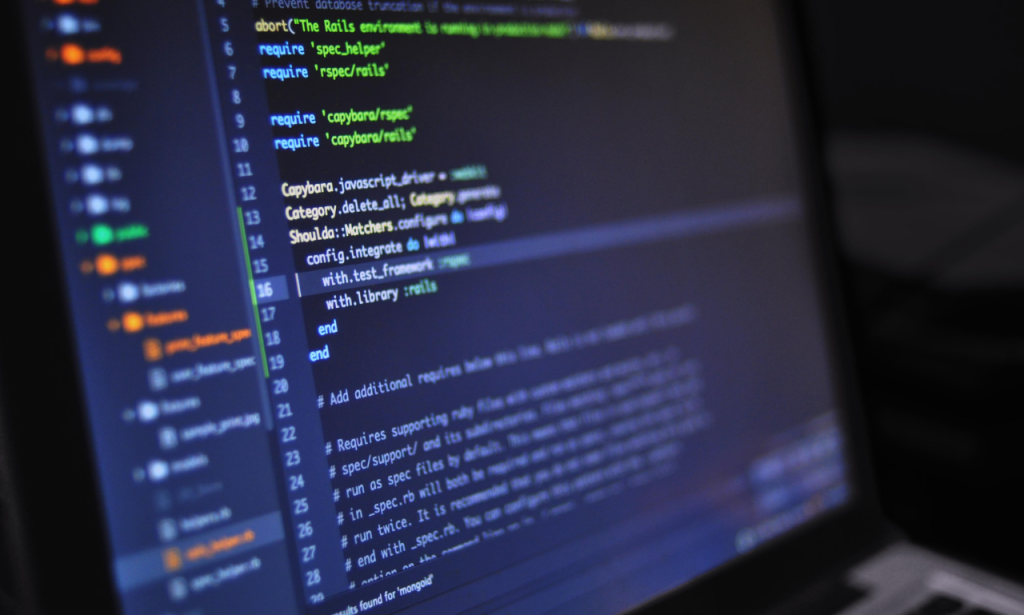
To a user, two crashes may look identical.
To a developer, they can be completely different.
Operating systems and applications can record diagnostic information when something goes wrong. A crash report may show which function was running, what type of error occurred, and which software components were involved.
Developers can aggregate reports from many users to identify patterns.
Perhaps thousands of crashes point to one graphics driver. Another group may occur only on a particular operating-system version.
This information is particularly valuable for bugs that developers cannot reproduce easily themselves.
Crash reporting turns an apparently random failure into evidence that can be analyzed, prioritized, and eventually fixed.
Reinstalling Should Not Always Be the First Solution
Reinstalling an application can help when installation files or local data have become corrupted.
It is less useful when the underlying problem is a bug affecting the current version.
The newly installed copy contains the same code and may crash in exactly the same way.
Before reinstalling, users can check whether the application and operating system are updated, restart the device, confirm sufficient storage, and note whether the crash occurs during one specific action.
Those observations can provide useful clues.
If reinstalling becomes necessary, important local information should be backed up first whenever possible.
The objective is not simply to make the crash disappear temporarily but to understand whether the problem comes from temporary data, the application itself, the operating environment, or the device.
Conclusion
Application stability depends on an entire chain of software and hardware working together. RAM is an important part of that chain, but it is only one part, which is why a device can show abundant free memory immediately after a program unexpectedly closes.
Understanding why apps crash even with enough memory means considering bugs, corrupted files, drivers, permissions, storage, operating-system changes, network failures, third-party libraries, and temporary software states. The visible symptom may be identical even when the underlying causes are completely different.
That is also why effective troubleshooting relies on patterns rather than assumptions. Notice when the crash occurs, whether it affects a particular file or feature, what changed recently, and whether other applications are affected. Available memory can rule out one obvious constraint, but the real explanation often lies deeper in the software stack.
Also Read: Why Do Data Breaches Sometimes Go Undetected for Months?
FAQs
Yes. Software bugs, corrupted data, driver problems, permissions, storage issues, and other failures can cause crashes without exhausting RAM.
The application may contain a specific bug, damaged local data, or a compatibility problem that does not affect other programs.
Sometimes. It can help with corrupted files or data, but it will not necessarily fix a bug in the current software version.
Restarting clears temporary states and rebuilds resources and connections, which can remove conditions that triggered the crash.
Leave a Reply