
The promise of virtual reality is remarkably convincing. Within seconds, a headset can transport someone from a living room to a mountain summit, a racing circuit, or even the surface of Mars. Yet for many users, that sense of immersion is interrupted by dizziness, nausea, or an uneasy feeling that lingers long after the headset comes off. These reactions are surprisingly common and rooted less in weak stomachs than in how the human brain processes movement. As VR technology becomes more accessible for gaming, education, healthcare, and work, understanding why these symptoms occur—and how they can often be reduced—has become increasingly important.
The Brain Depends on Agreement Between Multiple Senses

Every movement you make is monitored by several sensory systems working together. Under normal circumstances, they agree on what is happening.
Vision tells you where you’re moving.
Your inner ear detects changes in acceleration, balance, and head position.
Muscles and joints provide information about body position, a process known as proprioception.
Most of the time, these systems reinforce one another. Walk across a room, and your eyes, ears, and muscles all report the same event. Turn your head, and each system confirms the motion almost instantly.
Virtual reality changes this relationship.
Inside a headset, your eyes may report rapid movement through a digital environment while your body remains perfectly still. The brain suddenly receives conflicting information, forcing it to interpret signals that do not match.
For some people, this sensory disagreement is barely noticeable. For others, it produces symptoms that range from mild discomfort to severe nausea.
The Sensory Conflict Theory Explains Much of VR Discomfort
Researchers generally explain VR sickness using what’s called the sensory conflict theory.
Rather than assuming something is wrong with the user, this theory suggests that discomfort appears when the brain receives inconsistent information about movement.
Imagine sitting on a virtual roller coaster.
Visually, you’re accelerating downhill at high speed.
Physically, your inner ear detects no acceleration at all.
The brain now has to reconcile two contradictory realities.
Some scientists believe this conflict triggers defensive biological responses because similar mismatched sensory signals can occur after exposure to certain toxins. Although this evolutionary explanation remains debated, the sensory mismatch itself is widely accepted as the primary cause of VR-induced motion sickness.
This explains why symptoms often develop gradually instead of immediately. The longer the brain struggles with conflicting information, the greater the likelihood that discomfort will build.
Why Do Some People Get Motion Sickness in VR More Easily Than Others?
Not everyone reacts to virtual reality the same way. Individual biology plays a major role in determining susceptibility.
Age and Individual Sensitivity
Some people naturally experience motion sickness more often during car rides, boat trips, or flights. These individuals frequently experience similar reactions in VR.
Children under certain ages may process motion differently, while older adults can vary considerably depending on balance function and previous exposure.
Vestibular Differences
The vestibular system inside the inner ear helps maintain balance.
Minor differences in vestibular sensitivity can influence how strongly a person reacts when visual information conflicts with physical sensations.
Even perfectly healthy individuals can have vestibular systems that respond differently to identical VR experiences.
Migraine History
People who experience migraines often report increased sensitivity to visual stimulation.
Rapid motion, flashing imagery, or complex environments may trigger discomfort more easily than in people without migraine disorders.
Anxiety and Expectation
Stress itself doesn’t directly cause VR sickness, but anxiety can amplify awareness of bodily sensations.
Someone expecting to become nauseated may notice mild symptoms sooner than someone focused entirely on the virtual experience.
Hardware Performance Makes a Bigger Difference Than Many Realize
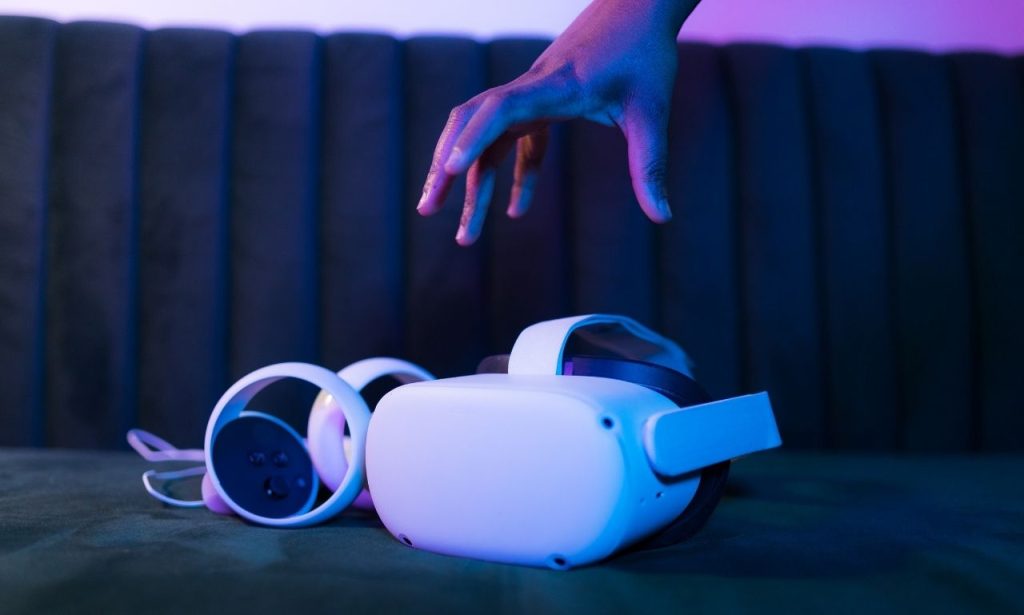
Modern VR headsets have improved dramatically, but hardware quality still influences comfort.
Several technical factors can either reduce or worsen symptoms.
Frame Rate
A low frame rate creates visual stuttering.
Instead of smooth movement, users experience tiny interruptions that make virtual motion feel unnatural.
Higher frame rates generally reduce sensory conflict and improve immersion.
Latency
Latency refers to the delay between head movement and what appears inside the headset.
Even delays measured in milliseconds can make the virtual world feel disconnected from physical movement.
Lower latency allows images to update almost instantly, helping the brain accept the illusion.
Display Resolution
Sharper displays reduce visual strain.
While high resolution alone doesn’t eliminate nausea, blurry images force the eyes to work harder, contributing to fatigue during longer sessions.
Tracking Accuracy
Modern headsets constantly monitor head position.
Poor tracking introduces small inconsistencies between expected and displayed movement, increasing the likelihood of discomfort.
Certain Types of VR Experiences Are More Likely to Trigger Symptoms
Not every virtual experience carries the same level of risk.
Games involving rapid movement tend to produce more symptoms than stationary activities.
Some common examples include:
- First-person shooters with continuous running
- Flight simulators
- Racing games
- Space exploration experiences
- Roller coaster simulations
By contrast, activities that involve standing still or moving only short distances usually produce fewer problems.
Puzzle games, virtual museums, painting applications, and guided educational experiences often allow users to remain comfortable for much longer.
Developers increasingly recognize these differences and frequently include comfort modes that reduce visual motion.
Small Design Choices Have a Big Impact on Comfort
Many modern VR applications include features specifically intended to minimize motion sickness.
These aren’t gimmicks—they’re based on years of research into human perception.
Teleportation Instead of Continuous Walking
Rather than smoothly walking through an environment, users instantly move from one location to another.
Although this slightly reduces realism, it dramatically lowers sensory conflict.
Snap Turning
Instead of rotating smoothly, the view changes in fixed angles.
These quick jumps reduce the prolonged visual rotation that often causes nausea.
Reduced Peripheral Motion
Some applications temporarily narrow the field of view while users move.
This limits peripheral visual flow, one of the strongest contributors to VR discomfort.
Stable Reference Points
Cockpit frames, vehicle interiors, or virtual helmets provide stationary visual references.
These stable objects help the brain interpret movement more consistently.
Recognizing the Early Warning Signs Matters
Many users try to “push through” mild discomfort.
Ironically, this often makes recovery take longer.
Common early symptoms include:
- Mild dizziness
- Eye strain
- Slight headache
- Increased warmth
- Sweating
- Difficulty concentrating
- Stomach discomfort
If these signs appear, removing the headset promptly usually leads to faster recovery than continuing the session.
More severe symptoms can include significant nausea, loss of balance, and lingering fatigue lasting several hours.
Stopping early allows the brain to reestablish agreement between sensory systems before symptoms escalate.
Practical Ways to Reduce Motion Sickness in VR
Fortunately, susceptibility often decreases with experience, and several practical strategies consistently help.
Start With Short Sessions
New users should limit initial sessions to around 10 to 15 minutes.
Gradually increasing exposure allows the brain to adapt without overwhelming it.
Choose Comfortable Experiences First
Stationary games and slower-paced applications build confidence before progressing to more demanding experiences.
Maintain Good Headset Fit
A poorly fitted headset can create visual blur and unnecessary eye strain.
Taking time to adjust the straps and lens spacing improves comfort considerably.
Stay Hydrated
Although hydration doesn’t eliminate sensory conflict, dehydration can worsen headaches and general discomfort.
Avoid VR When Extremely Tired
Fatigue reduces the brain’s ability to process conflicting sensory information efficiently.
Users often tolerate VR better when well rested.
Stop Before Symptoms Become Severe
Ending a session at the first signs of discomfort allows quicker recovery and encourages gradual adaptation over time.
Does Your Brain Adapt Over Time?

One encouraging finding from VR research is that many users become more comfortable through repeated exposure.
This process is often compared to developing “sea legs.”
Initially, the brain struggles with conflicting information.
Over time, it begins to recognize that the unusual visual signals are not dangerous.
As a result, symptoms often become milder with repeated, carefully managed sessions.
Adaptation varies considerably.
Some people become comfortable after only a few sessions.
Others require weeks of gradual exposure.
A smaller group remains highly susceptible despite repeated attempts.
Importantly, adaptation should never involve forcing prolonged exposure while already feeling sick.
Short, positive experiences are generally far more effective than trying to endure discomfort.
The Future of Virtual Reality Is Becoming More Comfortable
Virtual reality technology has advanced rapidly over the past decade, and reducing motion sickness remains one of its highest priorities.
Headsets now feature faster displays, improved tracking, lighter designs, and more accurate sensors than earlier generations. Developers also have a much deeper understanding of comfort-focused software design.
Researchers continue exploring eye tracking, adaptive rendering, personalized comfort settings, and even predictive systems that anticipate movement before it occurs.
As these innovations mature, virtual environments are likely to become accessible to a wider range of users, including people who previously found them uncomfortable.
The goal isn’t simply creating more realistic simulations. It’s building experiences that align more naturally with the remarkable—but sometimes demanding—ways the human brain interprets movement.
Conclusion
Our senses evolved to trust one another, and virtual environments challenge that partnership in ways everyday life rarely does. The resulting mismatch helps explain why one person can spend hours exploring digital worlds while another feels uneasy within minutes.
Understanding why do some people get motion sickness in VR reveals that these reactions are not signs of weakness or poor health. They reflect the brain’s normal response to conflicting sensory information. With thoughtful hardware design, smarter software, and practical user habits, many people can significantly reduce discomfort and gradually build tolerance.
As immersive technology becomes part of education, healthcare, entertainment, and remote collaboration, comfort will remain just as important as realism. The most successful virtual experiences will not only look convincing but will also work in harmony with the remarkable sensory systems that shape how we perceive the world.
Also Read: Why Does Augmented Reality Drain Battery So Fast?
FAQs
Yes. Many people gradually adapt through short, repeated sessions, although some remain naturally more sensitive than others.
Generally, newer headsets with higher refresh rates, lower latency, and better tracking tend to provide a more comfortable experience.
VR primarily creates a conflict where your eyes perceive movement while your body remains still, whereas motion sickness during travel often involves the opposite mismatch.
No. It’s usually best to stop immediately, rest until symptoms disappear, and return later with a shorter session.
Leave a Reply